
微服务-API网关
稍微介绍一下如何使用Spring Cloud Gateway和security在网关层实现基于jdbc的鉴权
背景
网站的后台往往会对不同的资源设置不同的权限. 这里我们所指的资源是后端的接口. 权限就是用户的身份, 普通用户, 游客, 管理员等等. 这样设计鉴权必然需要至少三张表, 用户表, 权限表, 资源表. 下面你可以执行如下的sql进行创建这三张表.
-- 创建用户信息表
CREATE TABLE `communicate_db`.`user_info`
(
  `id`          BIGINT(20) UNSIGNED NOT NULL AUTO_INCREMENT,
  `username`    VARCHAR(50)         NOT NULL COMMENT '用户名',
  `password`    VARCHAR(255)        NOT NULL COMMENT '密码',
  `phone`       VARCHAR(11)         NOT NULL COMMENT '手机号',
  `age`         INT(4) UNSIGNED     NULL     DEFAULT NULL COMMENT '年龄',
  `cipher`      TINYINT(4) UNSIGNED NOT NULL DEFAULT 2 COMMENT '性别 0男1女2秘密',
  `is_delete`   TINYINT(1) UNSIGNED NOT NULL DEFAULT 0 COMMENT '是否删除 1是2否',
  `create_time` TIMESTAMP(0)        NOT NULL DEFAULT CURRENT_TIMESTAMP(0) COMMENT '创建时间',
  `update_time` TIMESTAMP(0)        NOT NULL DEFAULT CURRENT_TIMESTAMP(0) ON UPDATE CURRENT_TIMESTAMP(0) COMMENT '更新时间',
  PRIMARY KEY (`id`),
  UNIQUE INDEX `uk_username` (`username`),
  INDEX `idx_delete` (`is_delete`)
)
  COLLATE = 'utf8mb4_0900_ai_ci'
  ENGINE = InnoDB;

-- 角色表
CREATE TABLE `communicate_db`.`role_info`
(
  `id`          int(11) UNSIGNED NOT NULL AUTO_INCREMENT,
  `role_code`   varchar(15)      NULL COMMENT '角色编码',
  `role_name`   varchar(30)      NULL COMMENT '角色名称',
  `description` varchar(255)     NULL COMMENT '描述',
  `create_time` timestamp(0)     NULL DEFAULT CURRENT_TIMESTAMP(0) COMMENT '创建时间',
  `update_time` timestamp(0)     NULL DEFAULT CURRENT_TIMESTAMP(0) ON UPDATE CURRENT_TIMESTAMP(0) COMMENT '更新时间',
  PRIMARY KEY (`id`)
)
  COLLATE = 'utf8mb4_0900_ai_ci'
  ENGINE = InnoDB;

-- 资源表
CREATE TABLE `communicate_db`.`permission_info`
(
  `id`          int UNSIGNED NOT NULL AUTO_INCREMENT,
  `url`         varchar(255) NULL COMMENT '路径',
  `method`      varchar(8)   NULL COMMENT '方法 GET POST PUT DELETE',
  `is_private`  tinyint(1)   NULL COMMENT '是否可以直接访问 0不能 1能',
  `create_time` timestamp(0) NULL DEFAULT CURRENT_TIMESTAMP(0) COMMENT '创建时间',
  `update_time` timestamp(0) NULL DEFAULT CURRENT_TIMESTAMP(0) ON UPDATE CURRENT_TIMESTAMP(0) COMMENT '更新时间',
  PRIMARY KEY (`id`),
  UNIQUE INDEX `uk_url_method` (`url`, `method`)
)
  COLLATE = 'utf8mb4_0900_ai_ci'
  ENGINE = InnoDB;
有了这三张独立的表, 我们还要建立起他们之间的关系, 因此新增用户权限表, 权限资源表.
-- 用户角色表
CREATE TABLE `communicate_db`.`role_user`
(
  `id`          int(11) UNSIGNED NOT NULL AUTO_INCREMENT,
  `role_id`     int(11)          NULL,
  `user_id`     int(11)          NULL,
  `create_time` timestamp(0)     NULL DEFAULT CURRENT_TIMESTAMP(0) COMMENT '创建时间',
  `update_time` timestamp(0)     NULL DEFAULT CURRENT_TIMESTAMP(0) ON UPDATE CURRENT_TIMESTAMP(0) COMMENT '更新时间',
  PRIMARY KEY (`id`)
)
  COLLATE = 'utf8mb4_0900_ai_ci'
  ENGINE = InnoDB;

-- 角色资源表
CREATE TABLE `communicate_db`.`role_permission`
(
  `id`            int(11) UNSIGNED NOT NULL AUTO_INCREMENT,
  `role_id`       int(11)          NULL,
  `permission_id` int(11)          NULL,
  `create_time`   timestamp(0)     NULL DEFAULT CURRENT_TIMESTAMP(0) COMMENT '创建时间',
  `update_time`   timestamp(0)     NULL DEFAULT CURRENT_TIMESTAMP(0) ON UPDATE CURRENT_TIMESTAMP(0) COMMENT '更新时间',
  PRIMARY KEY (`id`)
)
  COLLATE = 'utf8mb4_0900_ai_ci'
  ENGINE = InnoDB;
有了以上表, 我们向其中插入数据.
-- 注意 以下角色和权限是一回事

-- 初始化的用户数据
-- nikolazhang 123123
-- 秦秀莲 123123
-- zhangxu 123123
INSERT INTO `communicate_db`.`user_info` VALUES (1, 'nikolazhang', '$2a$12$vH8agvDqrTuc0xAXY8JKhuAib.bxj6Ovgdf.IemVCR6l1ufaOI8uO', '17811112222', NULL, 2, 0, '2020-03-02 16:50:28', '2020-03-02 16:50:28');
INSERT INTO `communicate_db`.`user_info` VALUES (2, '秦秀莲', '$2a$12$vH8agvDqrTuc0xAXY8JKhuAib.bxj6Ovgdf.IemVCR6l1ufaOI8uO', '15511112222', NULL, 2, 0, '2020-03-02 16:50:28', '2020-03-02 16:50:28');
INSERT INTO `communicate_db`.`user_info` VALUES (3, 'zhangxu', '$2a$12$vH8agvDqrTuc0xAXY8JKhuAib.bxj6Ovgdf.IemVCR6l1ufaOI8uO', '15211112222', NULL, 2, 0, '2020-03-02 16:50:28', '2020-03-02 16:50:28');

-- 权限信息
INSERT INTO `communicate_db`.`role_info` VALUES (1, 'ROLE_VISIT', '游客', '最低权限 只能查看', '2020-03-02 17:51:12', '2020-03-02 17:51:12');
INSERT INTO `communicate_db`.`role_info` VALUES (2, 'ROLE_NORMAL', '一般用户', '可以进行用户本人数据操作', '2020-03-02 17:51:58', '2020-03-02 17:51:58');
INSERT INTO `communicate_db`.`role_info` VALUES (3, 'ROLE_ADMIN', '管理员', '高权限', '2020-03-02 17:52:25', '2020-03-02 17:52:25');
INSERT INTO `communicate_db`.`role_info` VALUES (4, 'ROLE_NIKOLA', 'NIKOLA', '顶级权限', '2020-03-02 17:52:25', '2020-03-02 17:52:25');

-- 资源信息
INSERT INTO `communicate_db`.`permission_info` VALUES (1, '/user/auth/visit', 'GET', 1, '2020-03-02 17:52:25', '2020-03-02 17:52:25');
INSERT INTO `communicate_db`.`permission_info` VALUES (2, '/user/auth/normal', 'GET', 1, '2020-03-02 17:52:25', '2020-03-02 17:52:25');
INSERT INTO `communicate_db`.`permission_info` VALUES (3, '/user/auth/admin', 'GET', 1, '2020-03-02 17:52:25', '2020-03-02 17:52:25');
INSERT INTO `communicate_db`.`permission_info` VALUES (4, '/user/auth/nikola', 'GET', 1, '2020-03-02 17:52:25', '2020-03-02 17:52:25');

-- 用户权限信息 roleId userId
-- nikolazhang拥有的角色 VISIT NORMAL ADMIN
INSERT INTO `communicate_db`.`role_user` VALUES (1, 1, 1, '2020-03-02 17:50:18', '2020-03-02 17:50:18');
INSERT INTO `communicate_db`.`role_user` VALUES (2, 2, 1, '2020-03-02 17:50:30', '2020-03-02 17:50:30');
INSERT INTO `communicate_db`.`role_user` VALUES (3, 3, 1, '2020-03-02 17:50:37', '2020-03-02 17:50:37');
-- 秦秀莲为游客权限 VISIT
INSERT INTO `communicate_db`.`role_user` VALUES (4, 1, 2, '2020-03-02 17:50:40', '2020-03-02 17:50:40');
-- zhangxu为顶级权限 NIKOLA
INSERT INTO `communicate_db`.`role_user` VALUES (5, 4, 3, '2020-03-02 17:50:40', '2020-03-02 17:50:40');

-- 资源权限信息 roleId permissionId
-- ADMIN 可以访问 visit normal admin 不能访问nikola
INSERT INTO `communicate_db`.`role_permission` VALUES (1, 3, 1, '2020-03-02 17:52:25', '2020-03-02 17:52:25');
INSERT INTO `communicate_db`.`role_permission` VALUES (2, 3, 2, '2020-03-02 17:52:25', '2020-03-02 17:52:25');
INSERT INTO `communicate_db`.`role_permission` VALUES (3, 3, 3, '2020-03-02 17:52:25', '2020-03-02 17:52:25');
-- NORMAL 可以访问 normal visit
INSERT INTO `communicate_db`.`role_permission` VALUES (4, 2, 1, '2020-03-02 17:52:25', '2020-03-02 17:52:25');
INSERT INTO `communicate_db`.`role_permission` VALUES (5, 2, 2, '2020-03-02 17:52:25', '2020-03-02 17:52:25');
-- VISIT 只能访问 visit
INSERT INTO `communicate_db`.`role_permission` VALUES (6, 1, 1, '2020-03-02 17:52:25', '2020-03-02 17:52:25');
-- 不配置NIKOLA 由系统决定
以上数据的关系我都在注释里介绍了. 最后我们实现的效果应该是:
- nikolazhang可以访问
/user/auth/visit,/user/auth/normal,/user/auth/admin. 不可以访问/user/auth/nikola - 秦秀莲只可以访问
/user/auth/visit - zhangxu可以访问, 这个我们没有配置, 但是想让他能访问所有的资源. 一般我们新增了一些接口之后可能不能够及时的取配置这些资源对应的权限. 为了安全起见我们在系统里设置一个顶级权限, 拥有这个权限的用户可以访问这些没有配置权限的资源.
另外, permission_info中的is_private这个字段在本篇中没有任何作用.
模块介绍
因为有个大计划, 所以这里我对模块可能分的有些细粒度. 由于是刚开始所以还算是清晰明了.
- zookeeper注册中心, 这是微服务必不可少的. 当然了你也可以使用eureka或nacos.
- 网关模块, 这里使用的是Spring Cloud Gateway, 这是Spring Cloud官方推荐的网关解决方案, 替代了Netflix Zuul.
- 服务模块, 就是单纯的spring mvc而已.
- 另外通过feign调用相应模块中的资源, 因为在网关鉴权的时候, 有些资源是要从服务模块中获取的.
注册中心
这个就不说了, 因为这个和我们的文章无关.
feign
这个我们也不详述了. 当你看到代码里有****Client这种就是调用其他服务资源的就好了. 到处使用一个库, 遍地mysql connect实在是恶心. 一个模块只有对应的库, 且不交叉应该贯彻到底.
服务模块
这个很简单就是一些借口, 你只需要复制下面的就可以了. 因为这些资源路径要和数据库中对应的.
/**
 * 权限测试
 * @Description:  AuthorizeController.java
 * @Author:       zhangxu
 * @Createdate:   2020/3/3 18:38
 */
@Slf4j
@RestController
@RequestMapping("/user/auth")
public class AuthorizeController {

    private final UserInfoRepository userInfoRepository;

    @Autowired
    public AuthorizeController(UserInfoRepository userInfoRepository) {
        this.userInfoRepository = userInfoRepository;
    }

    @GetMapping("/visit")
    public String visit() {
        return "访客可以查看";
    }

    @GetMapping("/normal")
    public String normal() {
        return "普通用户可以查看";
    }

    @GetMapping("/admin")
    public String admin() {
        return "管理员可以查看";
    }

    @GetMapping("/nikola")
    public String nikola() {
        return "只有我nikola可以查看";
    }

}
网关
搭建一个Spring Cloud Gateway, 需要以下步骤:
- 添加依赖
<dependency>
    <groupId>org.springframework.cloud</groupId>
    <artifactId>spring-cloud-starter-gateway</artifactId>
</dependency>
<!-- 如果使用服务发现, 需要添加服务发现客户端依赖 -->
<dependency>
    <groupId>com.alibaba.cloud</groupId>
    <artifactId>spring-cloud-starter-alibaba-nacos-discovery</artifactId>
</dependency>
这里顺便提及一下我们使用的springboot版本是2.2.4.RELEASE, 对应的springcloud版本是Hoxton.SR1. 这个很重要, 不然项目出什么问题, 你可能得费很大劲去找到合适的版本. 毕竟不想把所有代码都粘出来, 文末我会附上gitee仓库地址. 要坚持到最后啊! 2. 启动类无需额外注解, Spring Cloud Gateway会自动配置. 3. 配置路由转发
spring:
  cloud:
    gateway:
      discovery:
        locator:
          enabled: true
          lower-case-service-id: true
      routes:
        - id: syscore
          uri: lb://syscore
          predicates:
            - Path=/user/**
          filters:
            - StripPrefix=0
总之根据自己的实际情况配置就就好. 这里的配置的意思是, 以/user开头的所有请求都会转发到syscore这个服务模块(上文已经提及的)上去. StripPrefix=0即不去除/user.
以上一个小小的网关就搭建好了.
鉴权
现在开始介绍如何结合spring security实现鉴权.
首先引入依赖:
<dependency>
    <groupId>org.springframework.boot</groupId>
    <artifactId>spring-boot-starter-security</artifactId>
</dependency>
<!-- Spring Cloud Gateway需要使用响应式Security -->
<dependency>
    <groupId>org.springframework.security</groupId>
    <artifactId>spring-security-config</artifactId>
</dependency>
<dependency>
    <groupId>org.springframework.security</groupId>
    <artifactId>spring-security-webflux</artifactId>
</dependency>
这样我们的应用在启动之后会默认生成一个账号user, 密码会打印在日志中. 当你访问资源时, 会让你进行登录. 当然这不是我们想要的. 为了实现上面说的效果我们要自定义security的一些配置.
配置security Spring Cloud Gateway是响应式的,需要使用
SecurityWebFilterChain来配置安全策略@Configuration @EnableWebFluxSecurity public class SecurityConfig { private final UserDetailsRepositoryReactiveAuthenticationManager authenticationManager; private final ServerHttpSecurity.Customizer<ServerHttpSecurity.AuthorizeExchangeSpec> authorizeExchangeCustomizer; @Autowired public SecurityConfig(ReactiveUserDetailsService userDetailsService, PasswordEncoder passwordEncoder, ServerHttpSecurity.Customizer<ServerHttpSecurity.AuthorizeExchangeSpec> authorizeExchangeCustomizer) { this.authenticationManager = new UserDetailsRepositoryReactiveAuthenticationManager(userDetailsService); this.authenticationManager.setPasswordEncoder(passwordEncoder); this.authorizeExchangeCustomizer = authorizeExchangeCustomizer; } @Bean public SecurityWebFilterChain springSecurityFilterChain(ServerHttpSecurity http) { http .formLogin() .and() .authorizeExchange(authorizeExchangeCustomizer) .authenticationManager(authenticationManager) .csrf().disable(); // 生产环境请根据实际情况配置CSRF保护 return http.build(); } }自定义权限检查组件
@Component
public class CustomAuthorizationManager implements ReactiveAuthorizationManager<AuthorizationContext> {

    private final UserClient userClient;

    @Autowired
    public CustomAuthorizationManager(UserClient userClient) {
        this.userClient = userClient;
    }

    @Override
    public Mono<AuthorizationDecision> check(Mono<Authentication> authenticationMono, AuthorizationContext authorizationContext) {
        ServerWebExchange exchange = authorizationContext.getExchange();
        ServerHttpRequest request = exchange.getRequest();
        String path = request.getURI().getPath();
        String method = request.getMethodValue();

        return authenticationMono
            .flatMap(authentication -> {
                if (authentication.isAuthenticated()) {
                    // 获取用户权限
                    Collection<? extends GrantedAuthority> authorities = authentication.getAuthorities();
                    List<String> userRoles = authorities.stream()
                        .map(GrantedAuthority::getAuthority)
                        .collect(Collectors.toList());

                    // 检查用户是否有顶级权限
                    if (userRoles.contains(PermissionRoleConstant.ROLE_NIKOLA)) {
                        return Mono.just(new AuthorizationDecision(true));
                    }

                    // 获取所有权限配置
                    return userClient.listPermissionRoles()
                        .flatMapIterable(Function.identity())
                        .filter(permissionRole -> {
                            // 匹配路径和方法
                            AntPathMatcher pathMatcher = new AntPathMatcher();
                            return pathMatcher.match(permissionRole.getUrl(), path) &&
                                permissionRole.getMethod().equals(method);
                        })
                        .map(PermissionRoleDO::getRoleCode)
                        .collectList()
                        .flatMap(requiredRoles -> {
                            // 如果没有配置该资源的权限,需要顶级权限
                            if (requiredRoles.isEmpty()) {
                                return Mono.just(new AuthorizationDecision(false));
                            }
                            // 检查用户是否有至少一个所需权限
                            boolean hasPermission = requiredRoles.stream()
                                .anyMatch(userRoles::contains);
                            return Mono.just(new AuthorizationDecision(hasPermission));
                        });
                }
                return Mono.just(new AuthorizationDecision(false));
            });
    }
}
配置权限检查器
@Configuration
public class AuthorizationConfig {

    private final CustomAuthorizationManager customAuthorizationManager;

    @Autowired
    public AuthorizationConfig(CustomAuthorizationManager customAuthorizationManager) {
        this.customAuthorizationManager = customAuthorizationManager;
    }

    @Bean
    public ServerHttpSecurity.Customizer<ServerHttpSecurity.AuthorizeExchangeSpec> authorizeExchangeCustomizer() {
        return exchanges -> exchanges
            .pathMatchers("/favicon.ico").permitAll() // 忽略静态资源
            .anyExchange().access(customAuthorizationManager);
    }
}
我们下面详细看一下这些类或者对象的具体信息.
passwordEncoder
用于用户密码加密, 注意加密方式要和用户注册时候的相同. 否则不会match.
@Bean
public PasswordEncoder passwordEncoder() {
    return new BCryptPasswordEncoder();
}
Reactive userDetailService
用于存放登录用户的一些信息, 主要是用户名, 密码, 权限. Spring Cloud Gateway需要使用响应式的ReactiveUserDetailsService.
@Slf4j
@Component
public class ReactiveUserDetailServiceImpl implements ReactiveUserDetailsService {

    private final UserClient userClient;

    public ReactiveUserDetailServiceImpl(UserClient userClient) {
        this.userClient = userClient;
    }

    @Override
    public Mono<UserDetails> findByUsername(String username) {
        log.debug("[ReactiveUserDetailServiceImpl] ====> 获取用户信息");
        // 1. 获取jdbc中的用户信息 主要是用户的密码和角色
        return Mono.fromCallable(() -> userClient.findUserByName(username))
                .subscribeOn(Schedulers.boundedElastic())
                .flatMap(userDo -> {
                    if (Objects.isNull(userDo)) {
                        return Mono.error(new BusinessException("只有注册之后才可以进行登录哦XD", HttpStatus.UNAUTHORIZED));
                    }
                    return Mono.fromCallable(() -> userClient.findUserAuthority(userDo.getUserId()))
                            .subscribeOn(Schedulers.boundedElastic())
                            .map(roleDos -> {
                                // 2. 设置用户所具有的权限
                                List<GrantedAuthority> authorities = new ArrayList<>(4);
                                log.debug("[ReactiveUserDetailServiceImpl] ====> 当前用户{}"的权限为: {}",
                                        userDo.getUserId(), JSON.toJSONString(roleDos));
                                for (RoleDO roleDo : roleDos) {
                                    if (StringUtils.isNotEmpty(roleDo.getRoleCode())) {
                                        authorities.add(new SimpleGrantedAuthority(roleDo.getRoleCode()));
                                    }
                                }

                                // 3. 返回UserDetails (通过用户名, 密码及权限生成对象)
                                return (UserDetails) new User(username, userDo.getPassword(), authorities);
                            });
                });
    }
}
GrantedAuthority 是用来存放用户的权限信息的. SimpleGrantedAuthority是他的一个实现, 用于存放用户权限(角色)字符串. 当获取时可以调用getAuthority().
CustomAuthorizationManager
在响应式Security中,我们不再使用FilterInvocationSecurityMetadataSource和AccessDecisionManager,而是使用ReactiveAuthorizationManager来统一处理权限检查逻辑。
在前面的配置中,我们已经定义了CustomAuthorizationManager,它负责:
- 获取当前请求的路径和方法
- 获取用户的权限信息
- 检查用户是否有顶级权限
- 获取数据库中配置的资源权限
- 匹配请求路径和方法对应的权限
- 判断用户是否有访问权限
PermissionRoleConstant
常量类保持不变:
public final class PermissionRoleConstant {

    private PermissionRoleConstant() {}

    /** 接口访问的最高权限, 用于访问未配置接口, 设置默认权限 */
    public static final String ROLE_NIKOLA = "ROLE_NIKOLA";

}
我们的权限控制逻辑是:如果用户的权限为ROLE_NIKOLA或者资源的访问权限中包含了用户当前的权限则允许访问。没有匹配的结果则直接拒绝访问。
因此如果你是顶级用户那么, 你是可以访问所有资源的. 不是的话只能访问配置相应权限的资源.
测试
登录地址为: http://localhost:18000/login
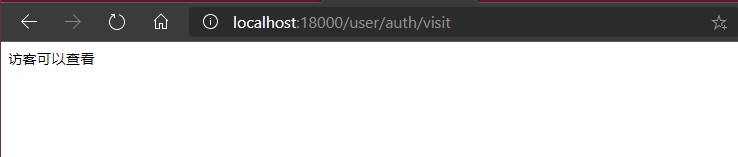
秦秀莲权限测试
使用账号秦秀莲密码123123登录. 并访问结果见下: 
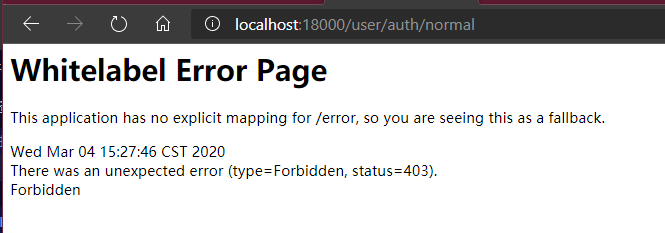
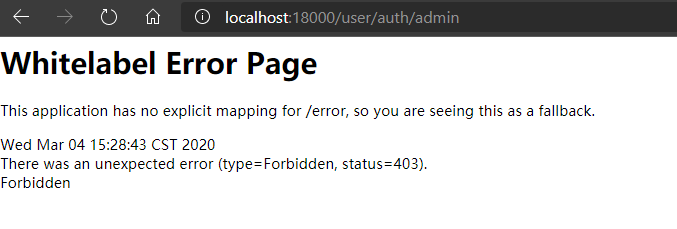
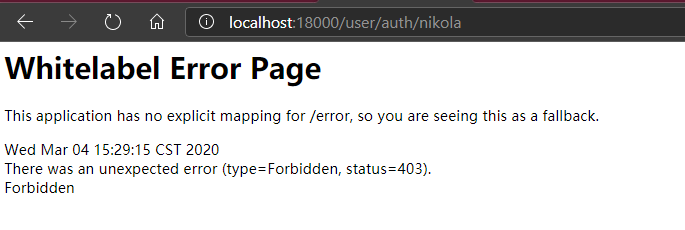
NikolaZhang权限测试




zhangxu权限测试



end
项目获取方法:
https://gitee.com/NikolaZhang/communicate.gitgit@gitee.com:NikolaZhang/communicate.git